
Overview
Long gone are the days of manually drafting emails for each customer when sending Quotes or Invoices.
With our new and improved Email Templates module, you can now create customisable email templates for Quoting and Invoicing; allowing you to:
- Save time by reusing processional, pre-defined email formats.
- Maintain consistency across all communication with customers.
- Personalise at scale with dynamic macros, so each email feels tailored.
- Manage templates easily in one central location, making updates simple and efficient.
Creating, viewing and editing email templates
First, navigate to the Quote or Invoice settings screen. Here, you'll see all your existing templates for quotes or invoices, respectively.
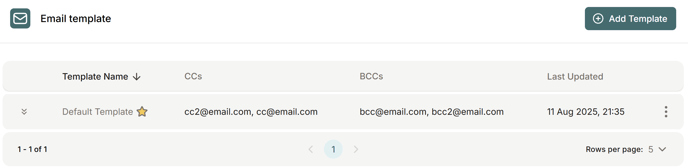
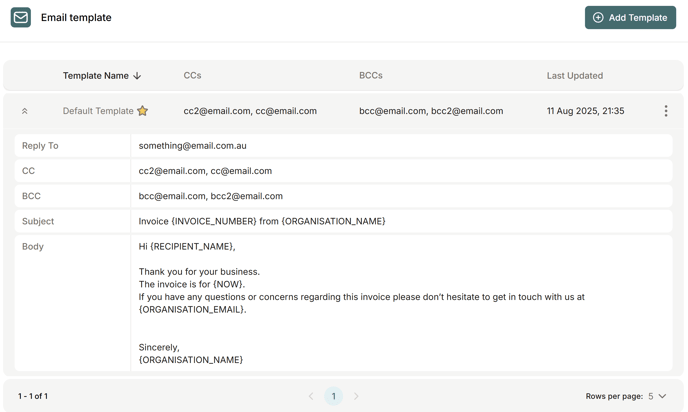
Click on a table row, or the chevron icon on the left, to expand and view more details about the template.
The ellipsis icon ( ⋮ ) on the right can be used to edit, mark as default, or delete a template.
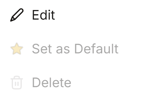
Your default template is denoted by the yellow star, next to the template name. Note that you cannot delete your default template.
To create an Email template, simply click the "Add template" button to the right of the section heading, which will open a dialog for you to fill out.

Be sure to use the macro functions so that your templates populate with customer/invoice/quote specific information when they are sent.
Soon, you will also be able to add attachments to your templates, so keep an eye out while we continue to expand this feature.